You might wonder how you can add more NVME Drives on a mainboard as most m2-slots are sparse but we have PCIE-Slots and nice Adapters:
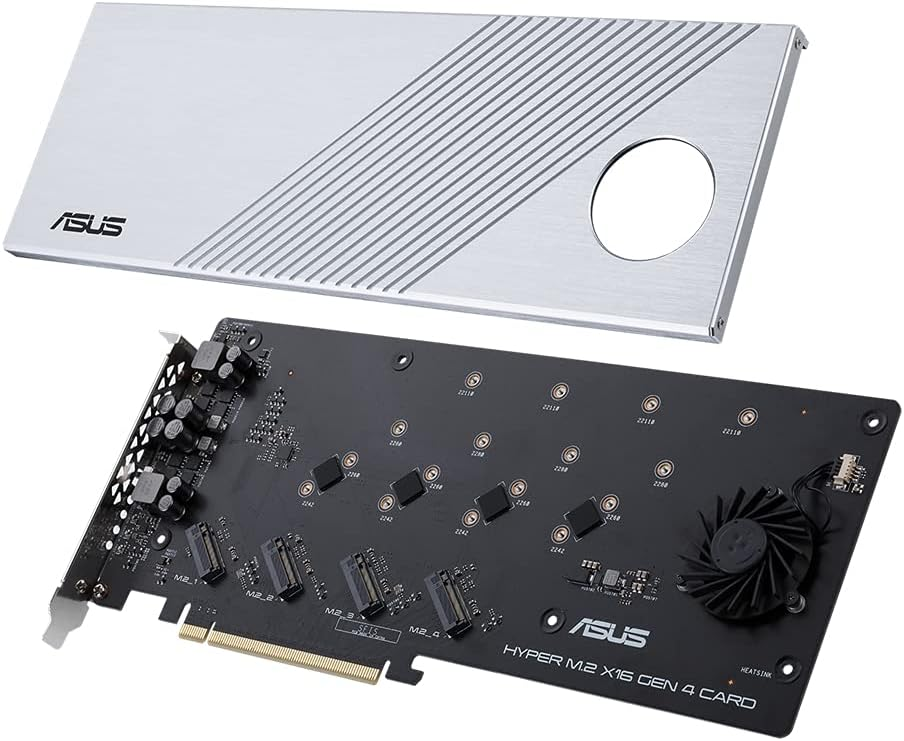
But they won’t work easily in any mainboard as these cards bring some PCIe-Lane Divison with them.
You see, a NVME is typically bound to 4 CPU-Lanes to leverage those thousands of MB of speed and since PCIE-Slots are able to give us 16 CPU-Lanes we can use those cards above to install 4 NVMEs in such a PCIE x16 Slot.
But in most cases such an installation will only provide you with 1 NVME even if all 4 slots are full, so whats happening here?
So we will need PCIE-Lanes from the CPU. If the CPU doesn’t have enough Lanes for all PCIe-Slots (along with SATA, SAS, onboard USB, onboard NICs and so on) the card won’t be simply able to share more lanes.
Ontop of that the BIOS must be able to divide the slots into multiple lanes.
To do that both the CPU and the Mainboard will need enough Lanes and the so called PCI-Bifurication Feature.
Only with that you are able to divide the PCIE-Slots into multiple of 4 depending on the electrical available CPU-Lanes for that physical PCIe-Slot.
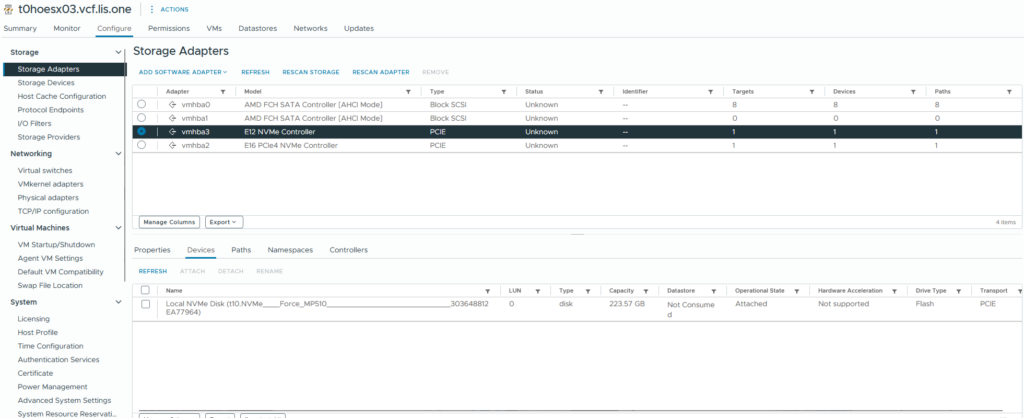
before changing the BIOS Setting we can see only one NVME:
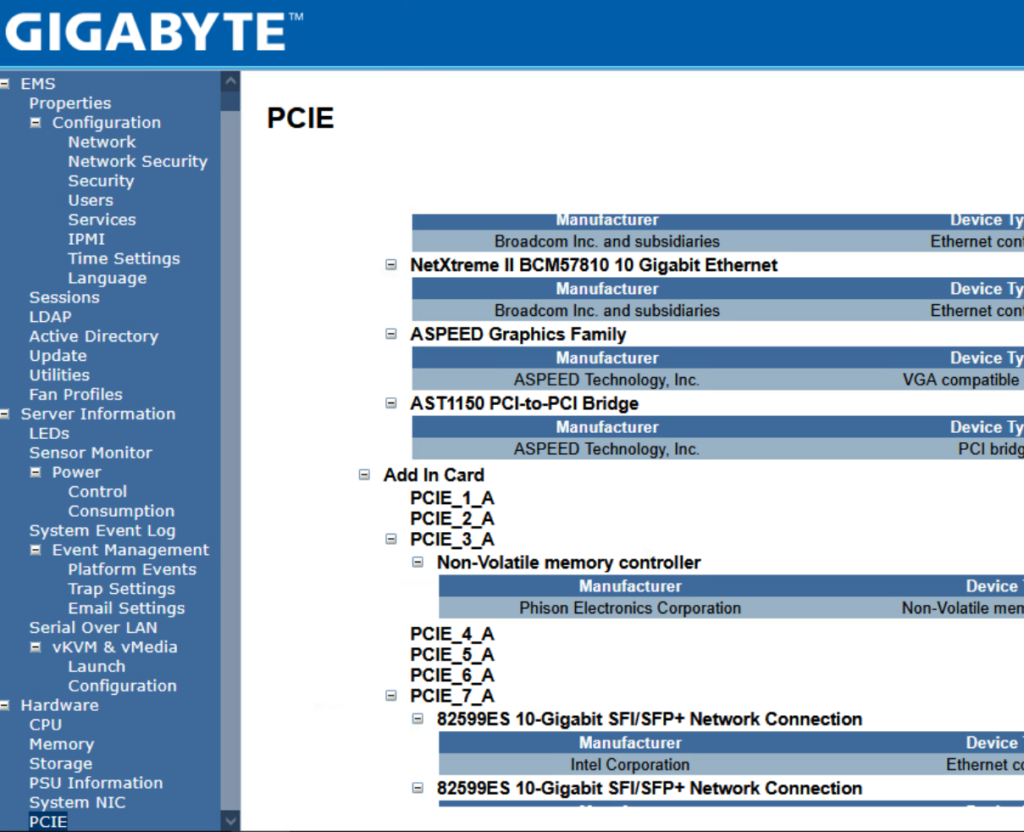
We check the KVMs PCIe Setting to find my ASUS PCIe NVME Adapter:
typical admin life Hitting the SETUP Button multiple times:
then waiting till the BIOS finally cames up 🙂
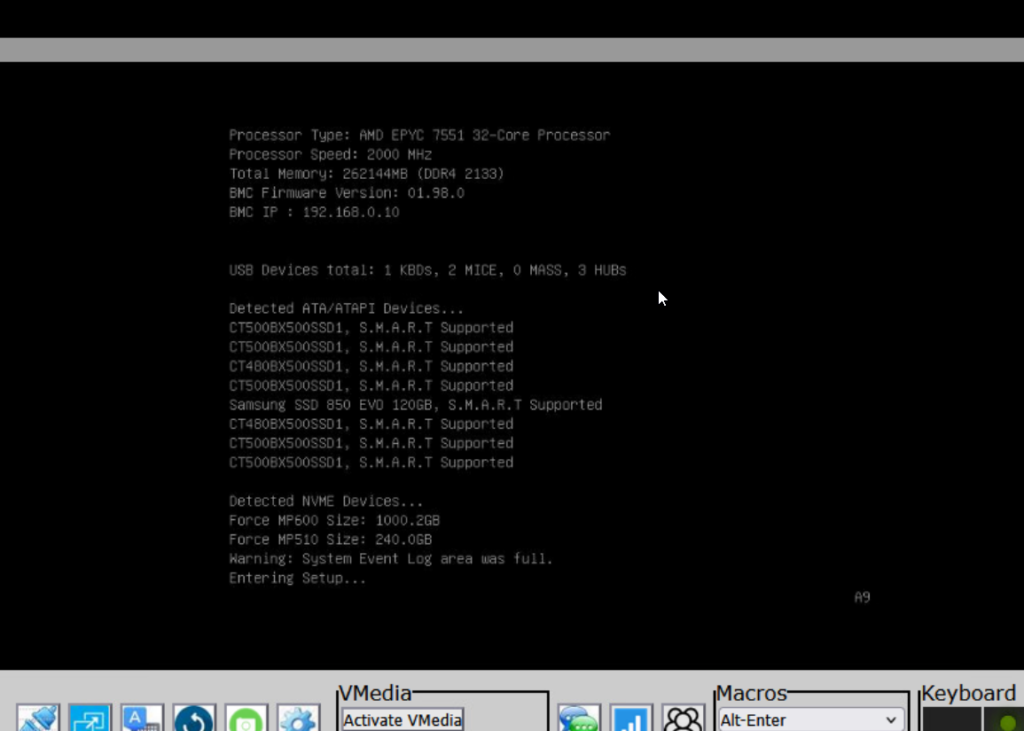
Now in the BIOS go to the Advanced TAB and then go into the PCI Settings
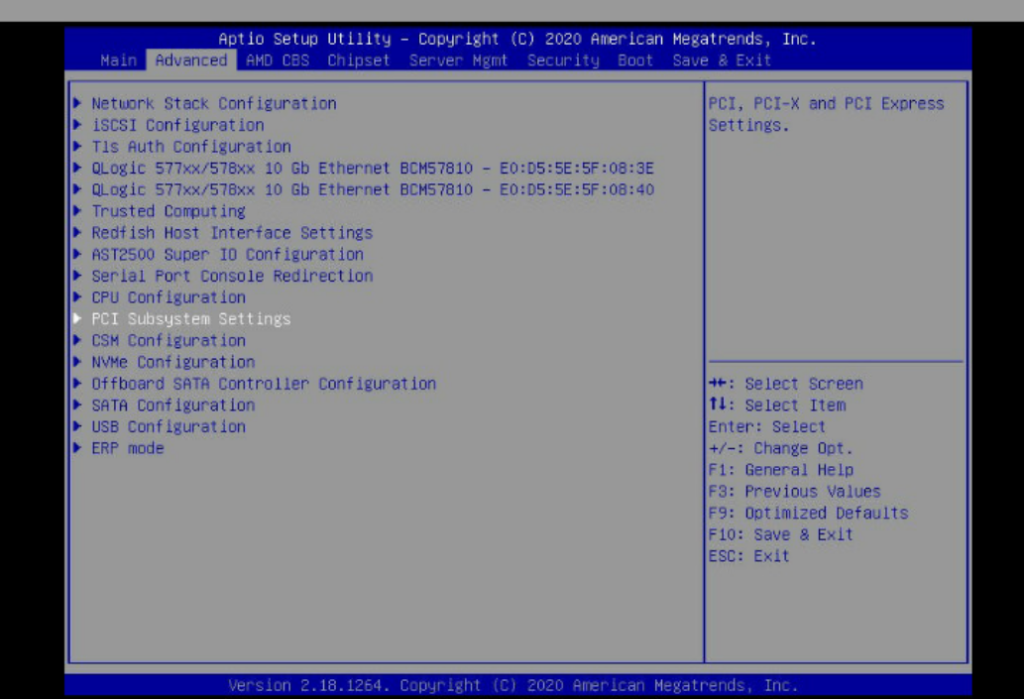
and here we can see that everything is set to Auto regarding the lanes….
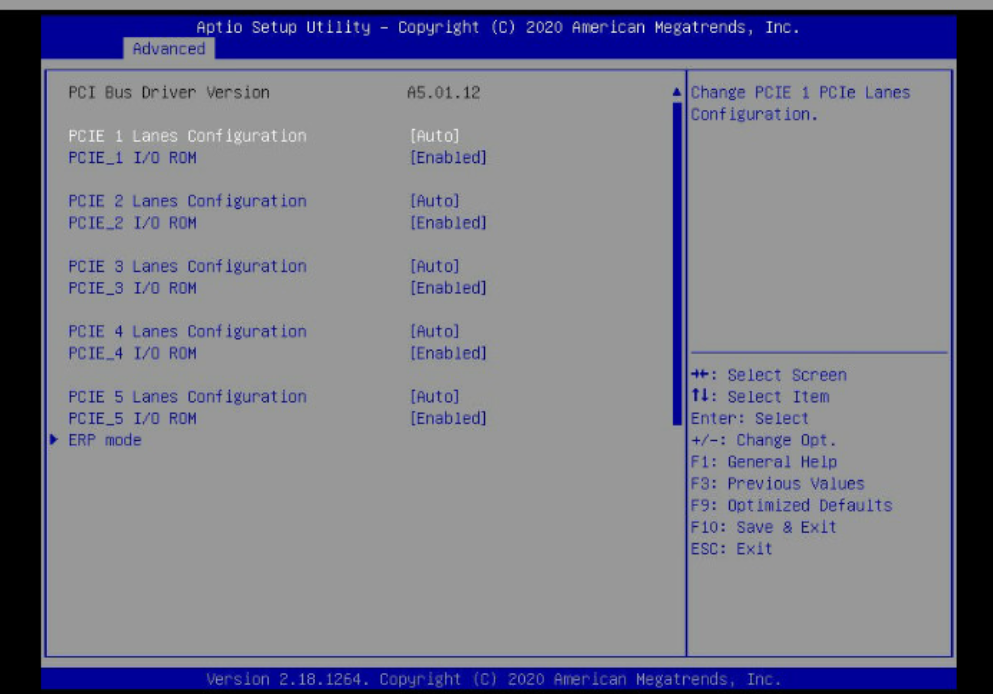
well “auto” most of the time won’t work so we change the lane setup of PCIE_3
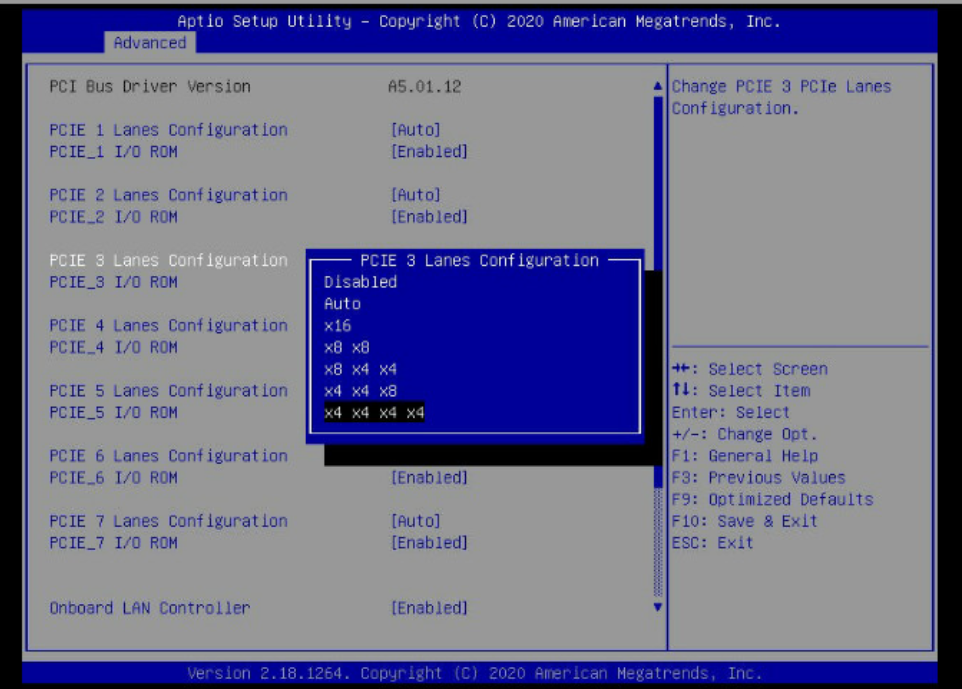
we change it to x4 x4 x4 x4 because the PCIe-Card has 4 NVME-Slots in it.
we save the BIOS and let the host boot up and wait till the host is back in the vCenter 🙂
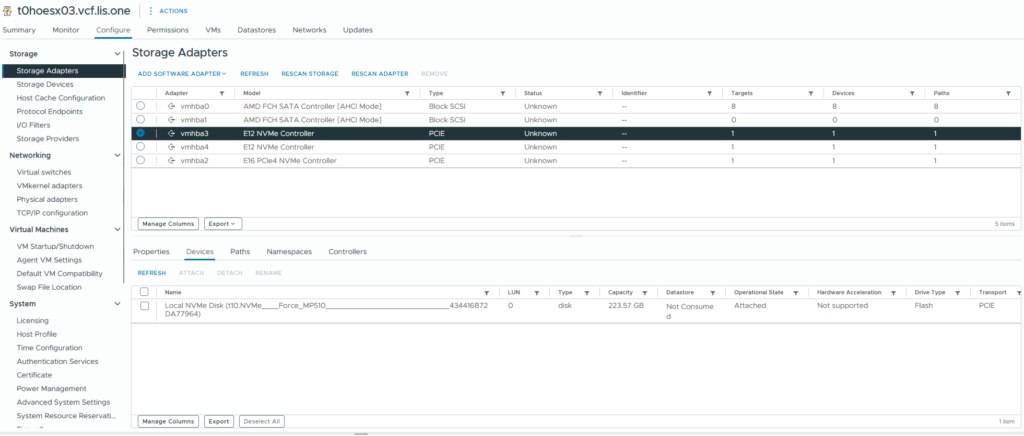
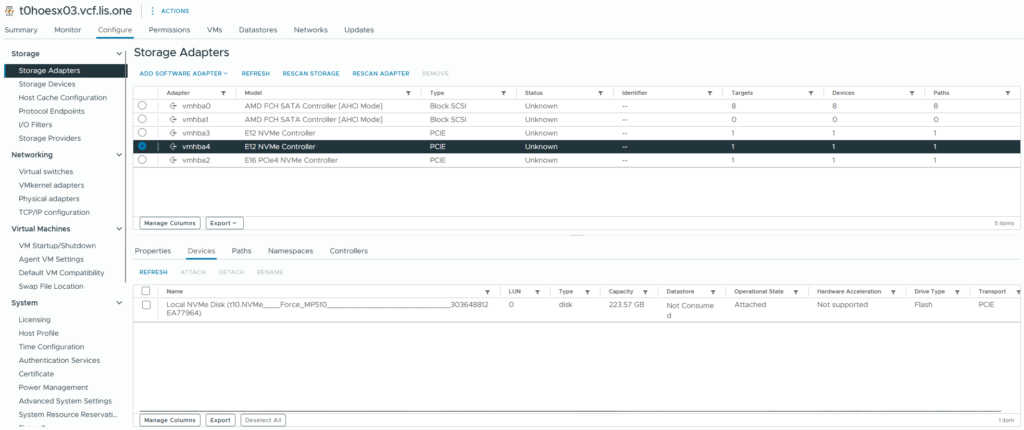
And now i’ve got some nvmes to leverage them in vSAN ESA 🙂