Preparation
We need to prepare the actual VCF Deployment
- ESX-Hosts installed in the same version
- DNS-Records created and reachable
- A-Records and PTR-Records. If you’re using IPv6, then don’t forget AAAA-Records
- IP-Addresses
- VLAN-IDs
Requirements on CPU, Memory andStorage
Each VCF Deployment comes in 3 flavours
- simple
- High Availablity medium
- High Availablity large
| simple | High Availability Medium | High Availability Large |
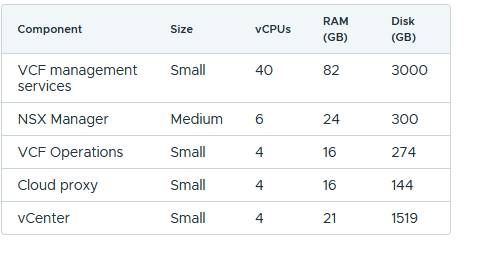
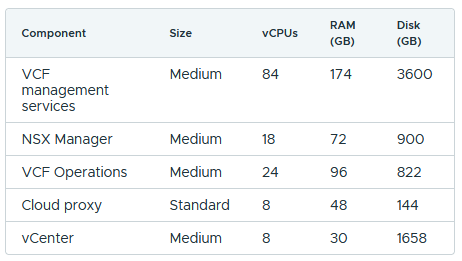
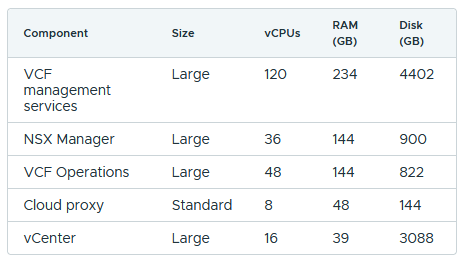
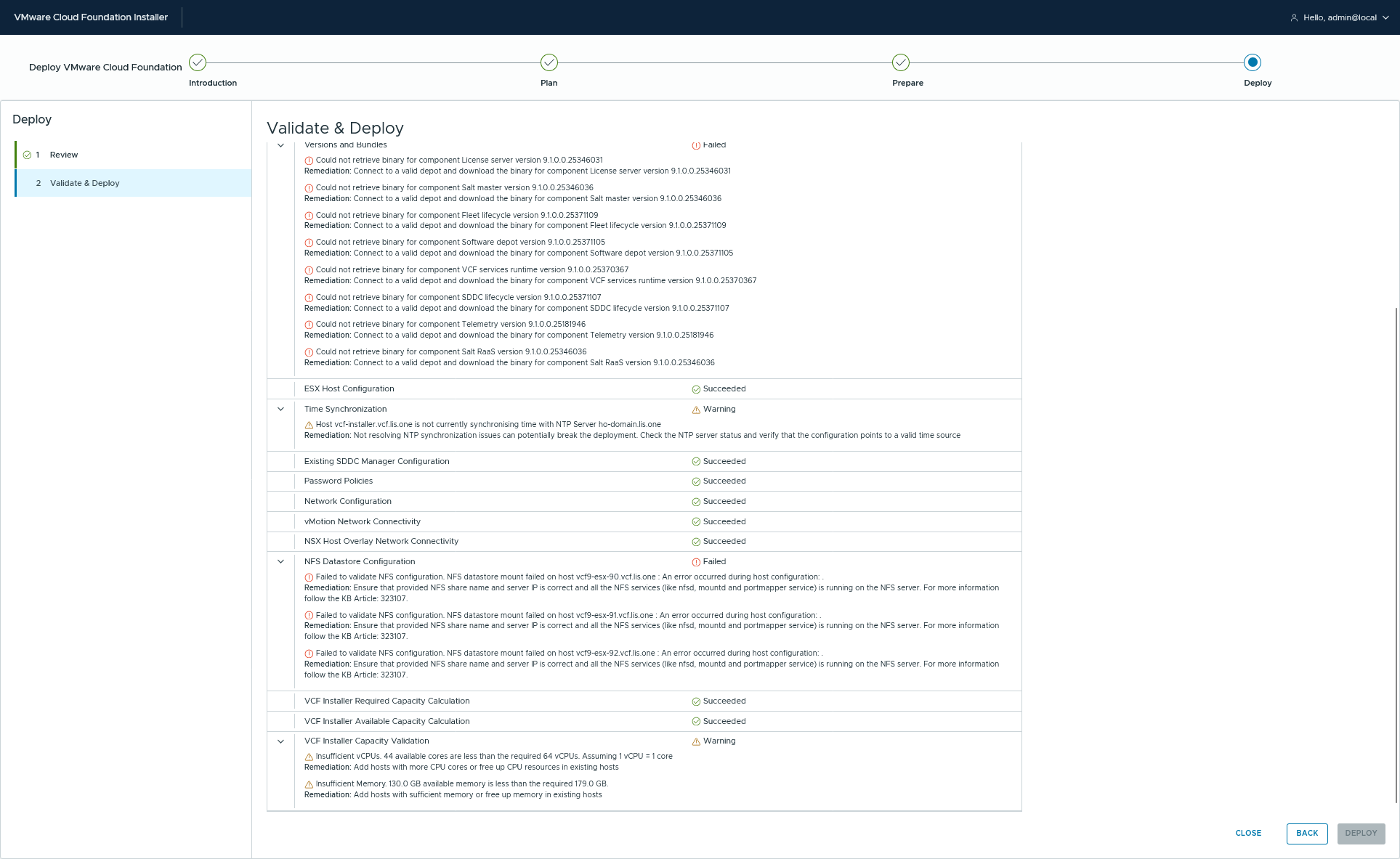
so you should make sure to have enough left. The VCF Installer will also give some warnings:
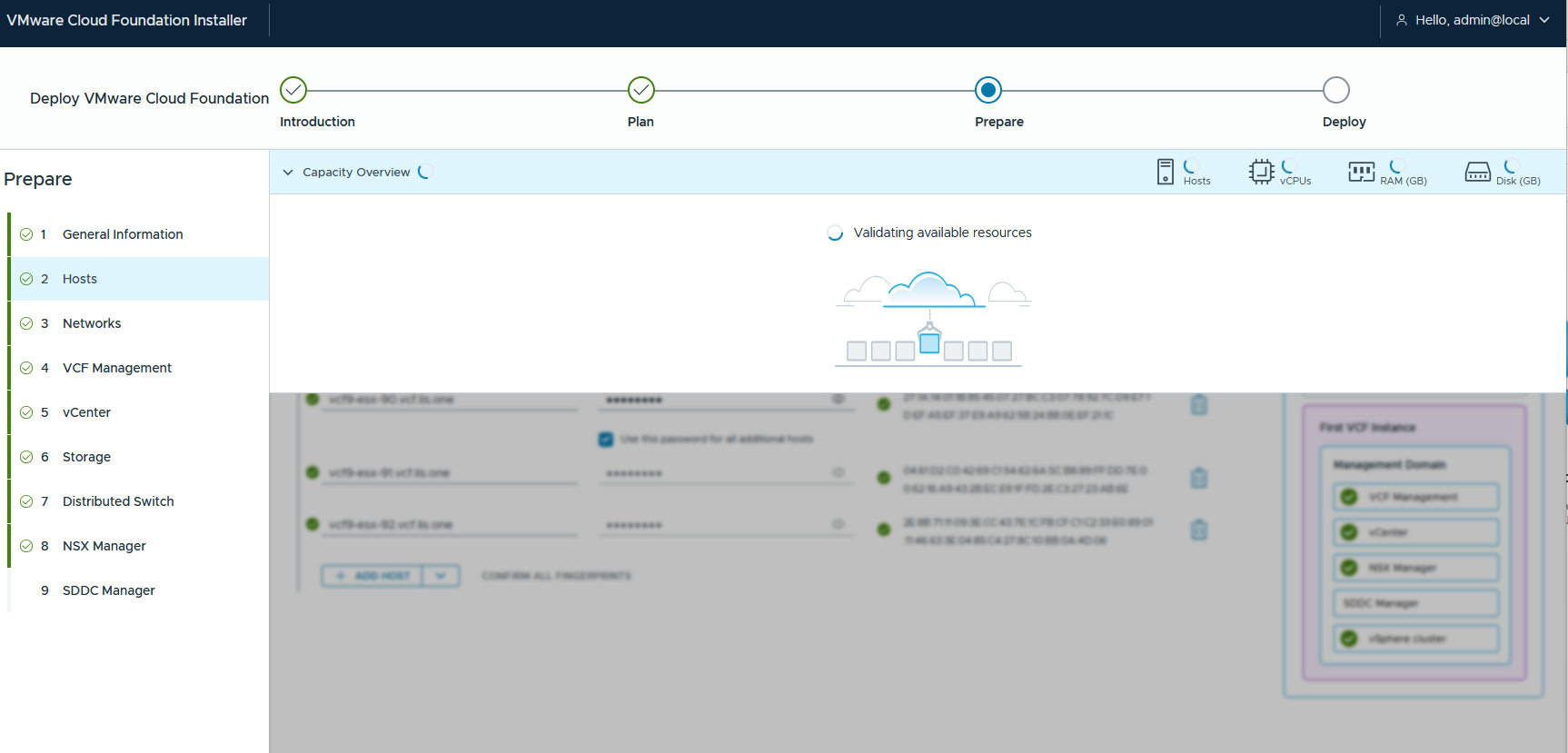

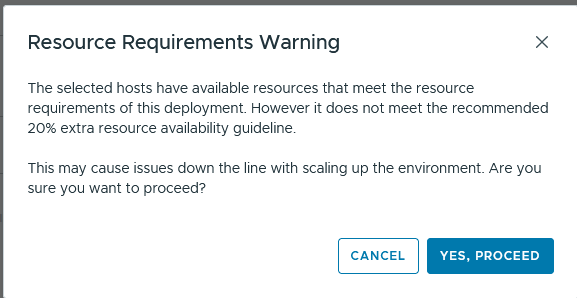
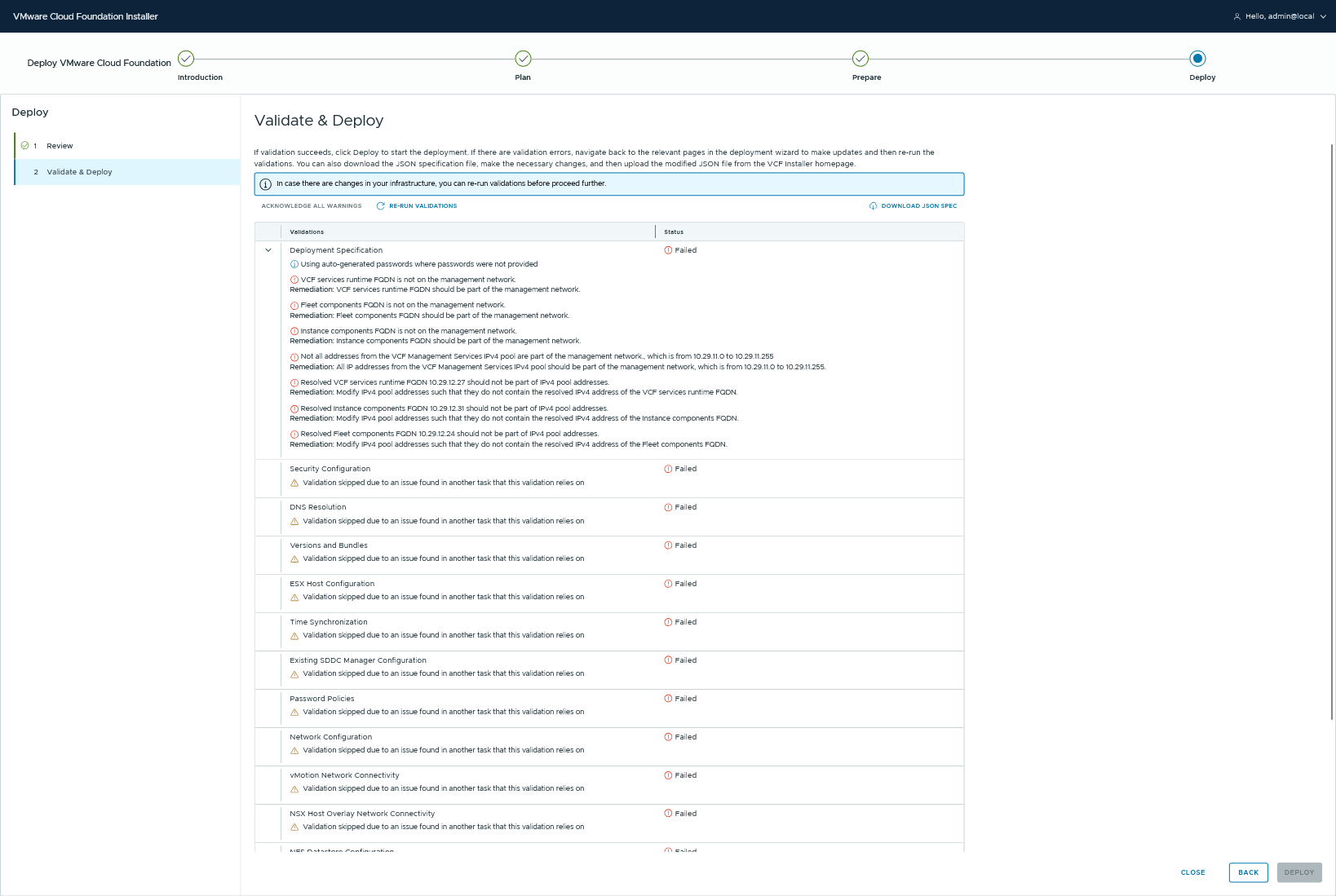
And also the validation will tell it to you:

Networking Requirements
We all now the VM Management Network by now:
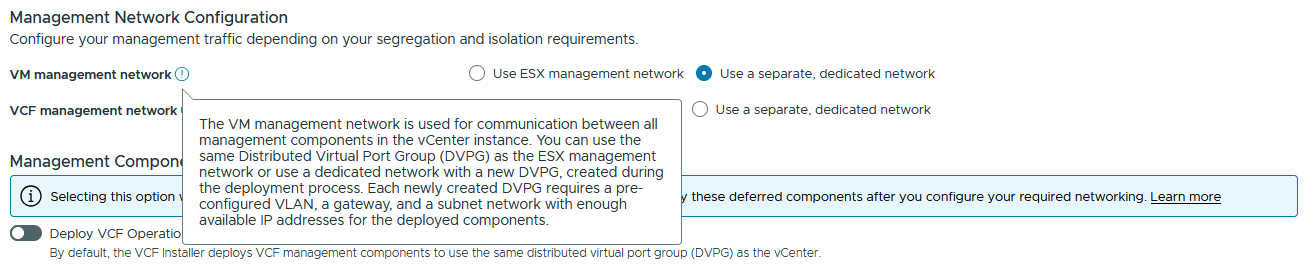
But you will need to think about a new network. The VCF Management Network:
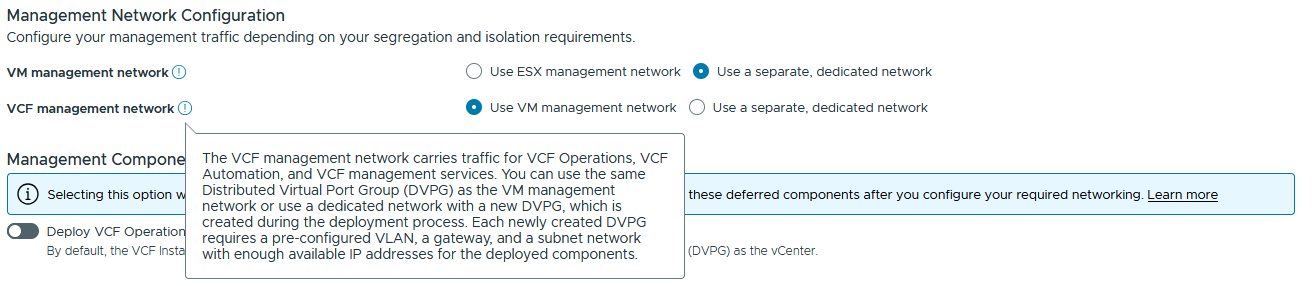
This network is used for the VCF Management Service Plane that runs an Kubernetes cluster which holds all VCF Services (Log Insight, VCF Operations Parts etc.) in.
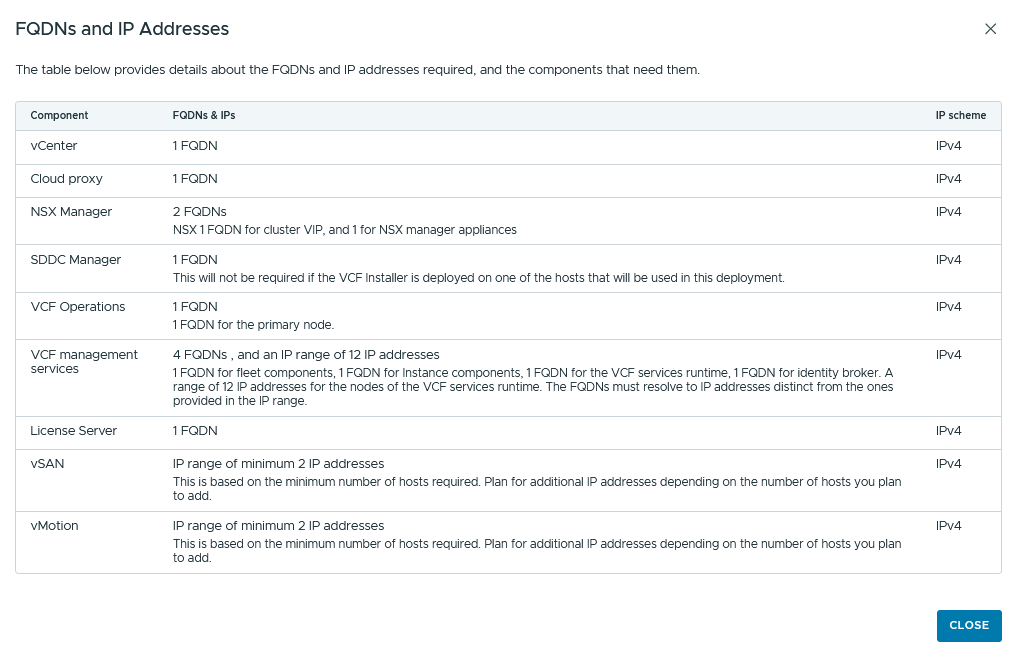
And don’ forget your FQDNs depending on the model (based on the simple model):
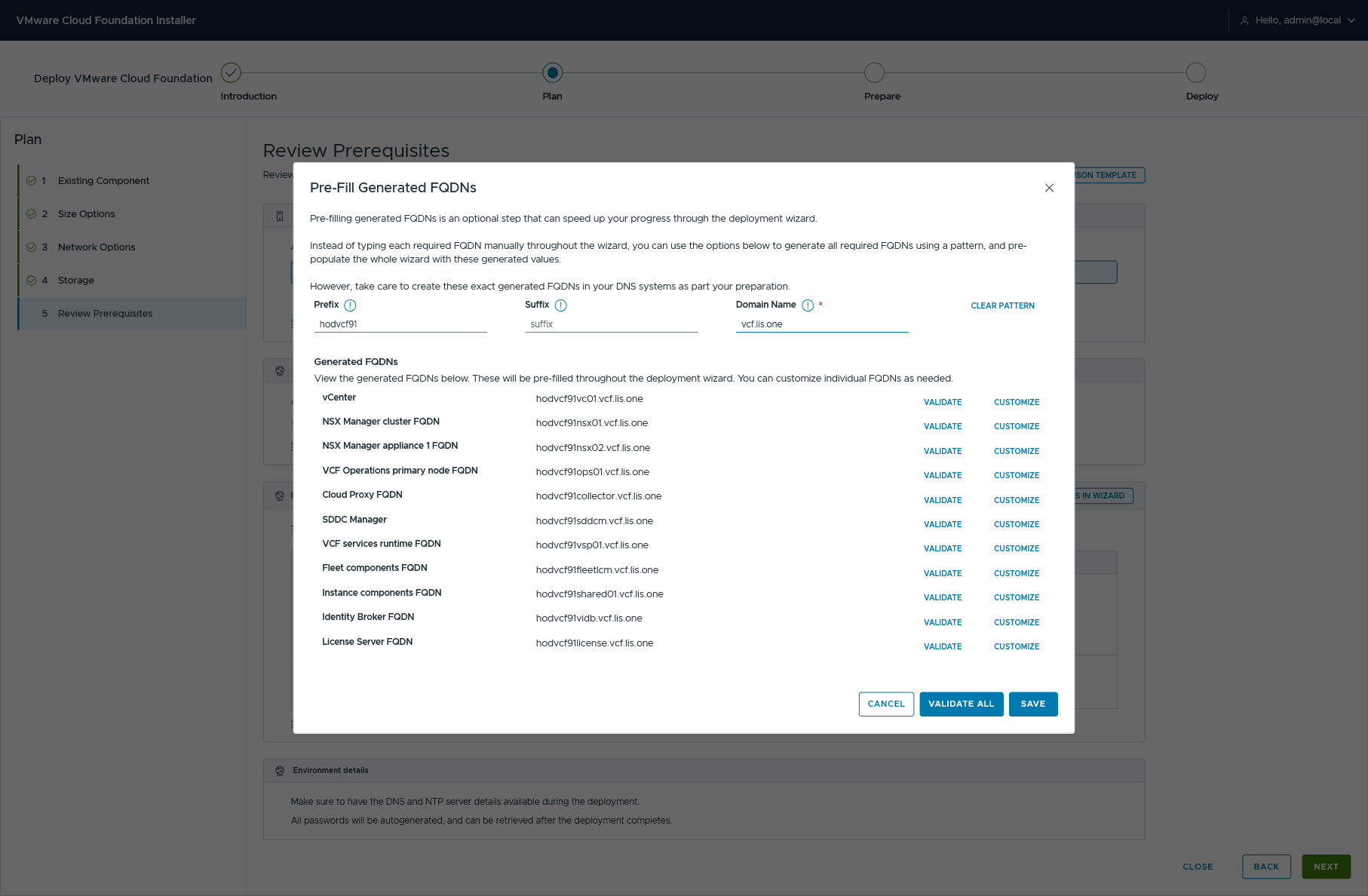
But this VCF-Installer also gives aus a way to make the FQDN-Validation easier via UI:
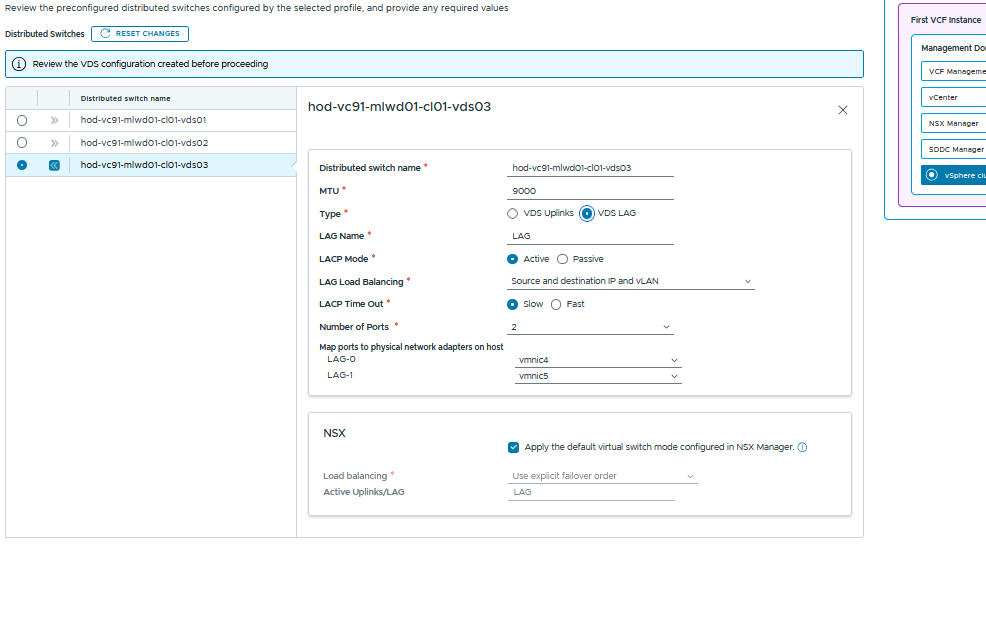
Distributed Switch
we again have different types of Traffic Seperation aswell as a custom switch configuration.
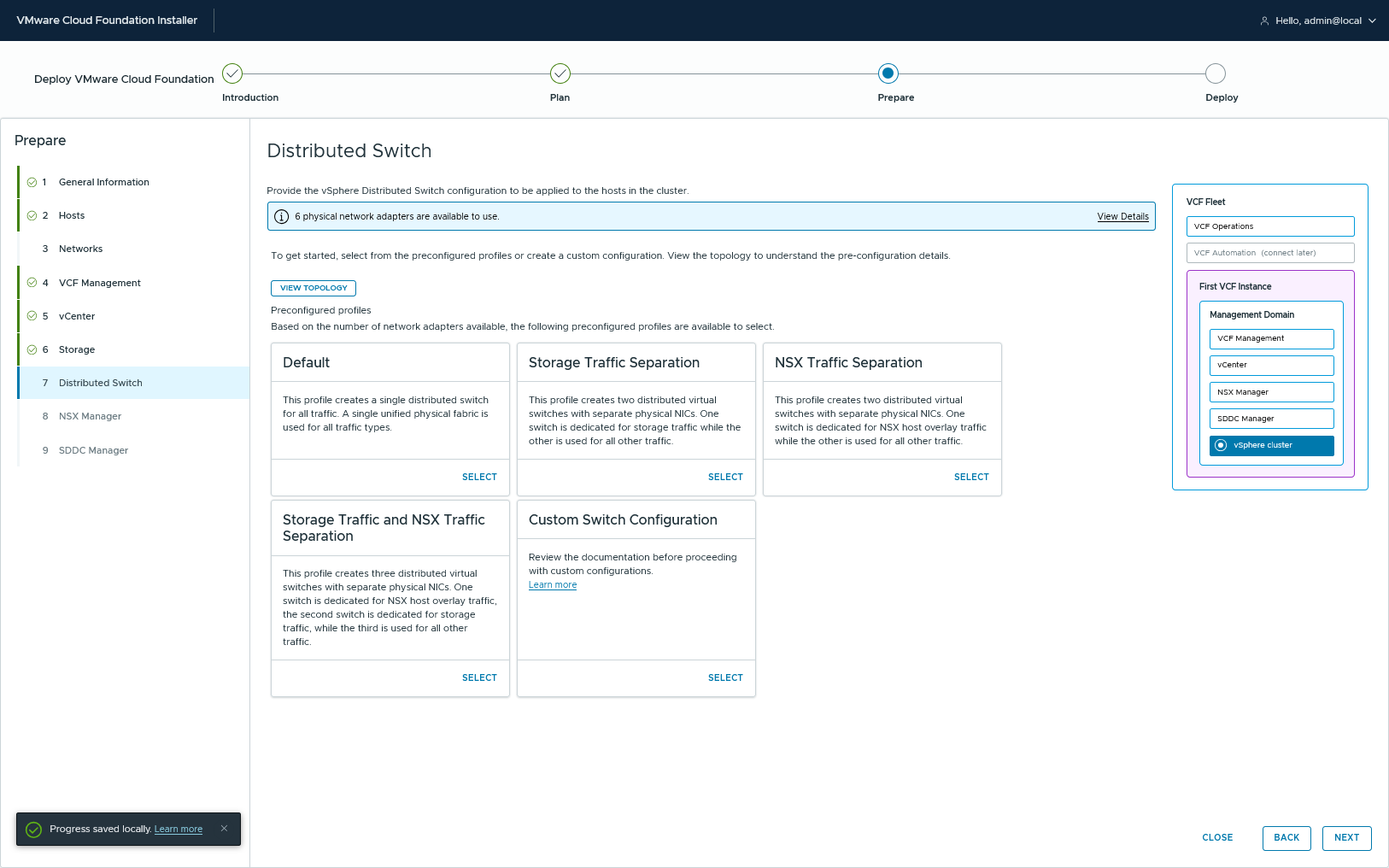
and just in case somebody wanna use LAGs you can use them (also with NSX).
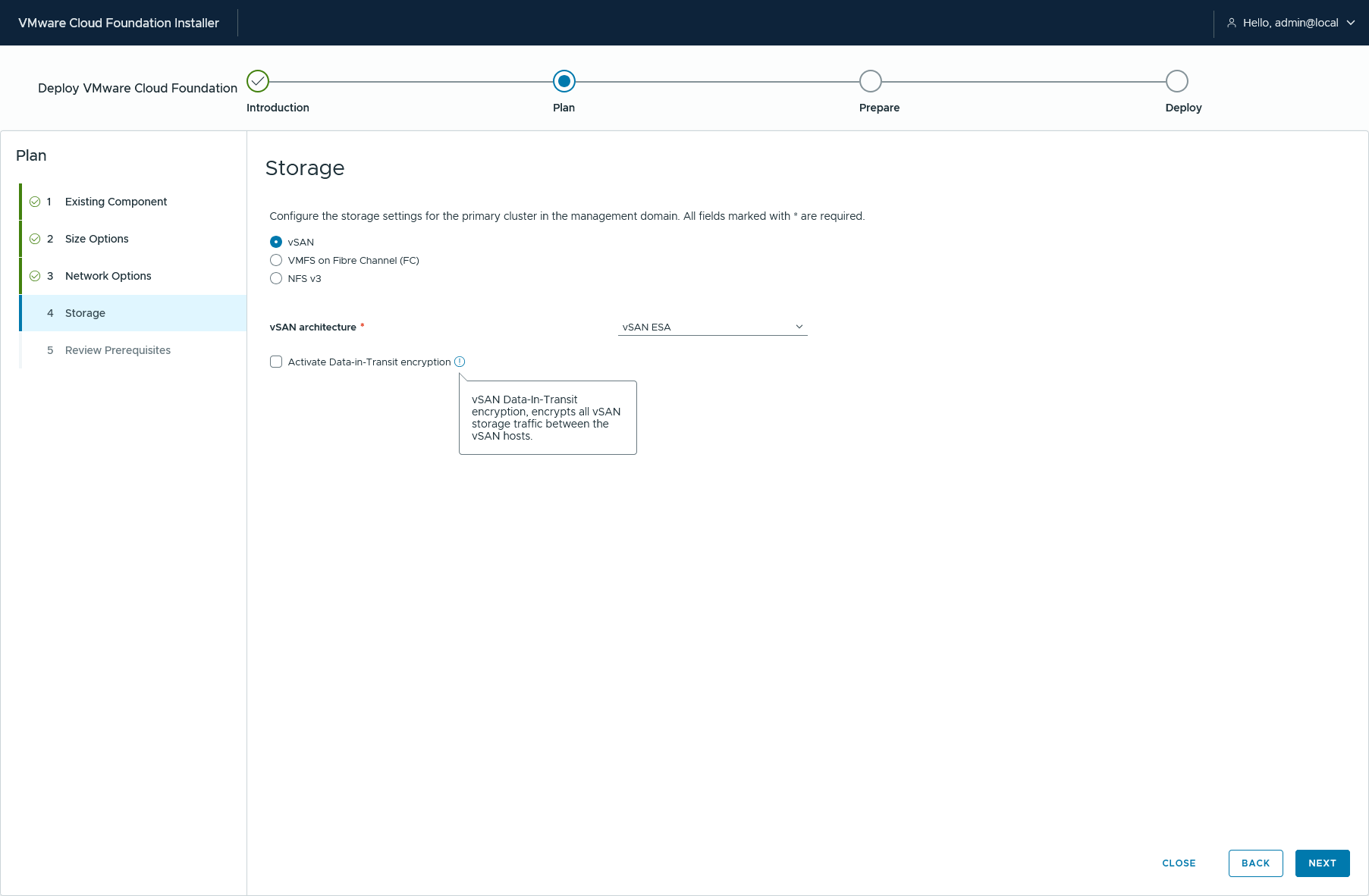
The Principal Storage
we’ve got 3 Choices with VCF 9.1
- vSAN
VMFS on Fibre Channel all participating ESX-Hosts need to have the LUN mounted and a VMFS Datastore must be created before deploying VCF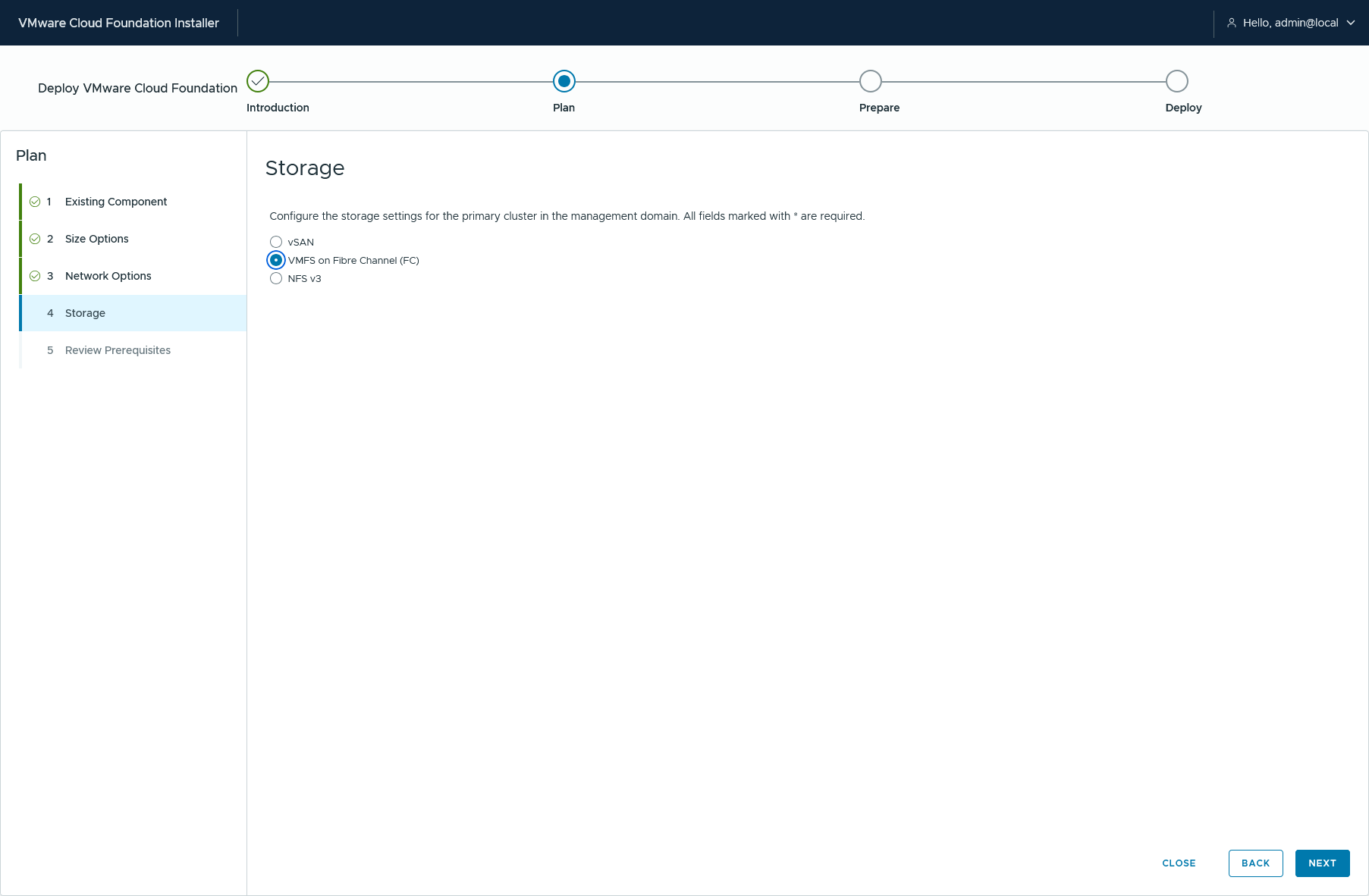
NFS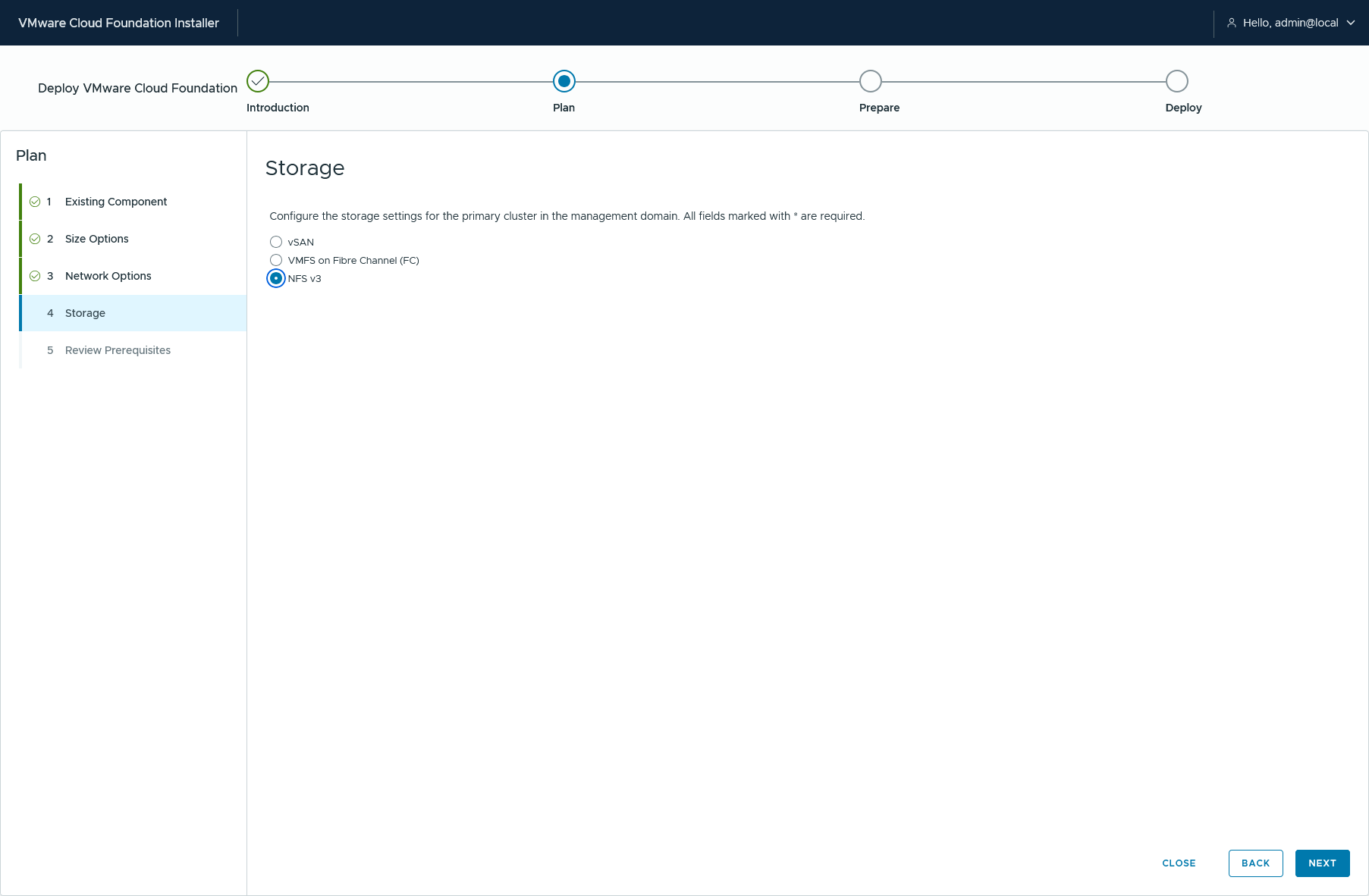
It is interesting to see that NFS won’t have the configuration part here but later on…
Validate & Deploy
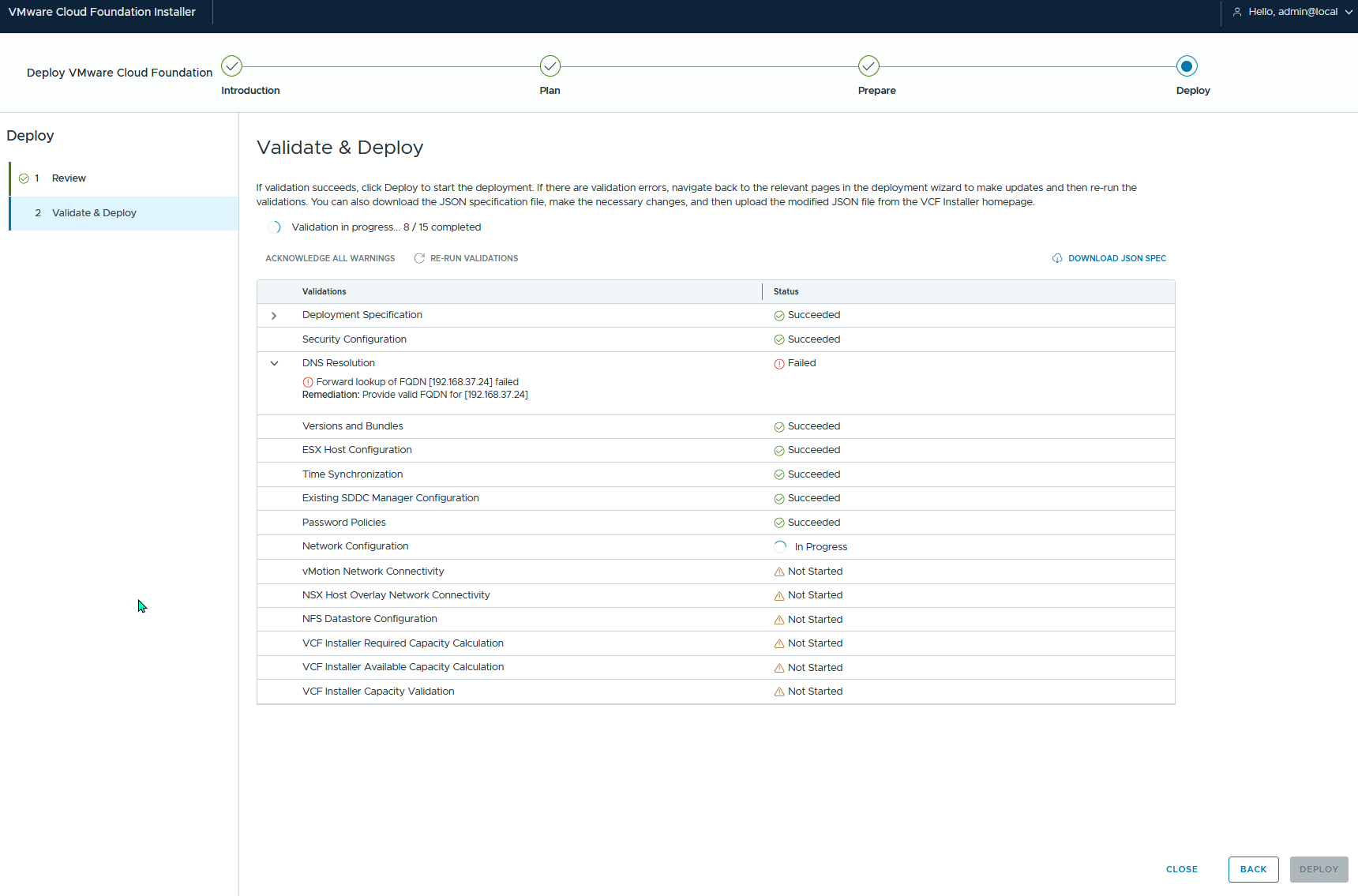
Here are some pre-check Validation Screenshots:
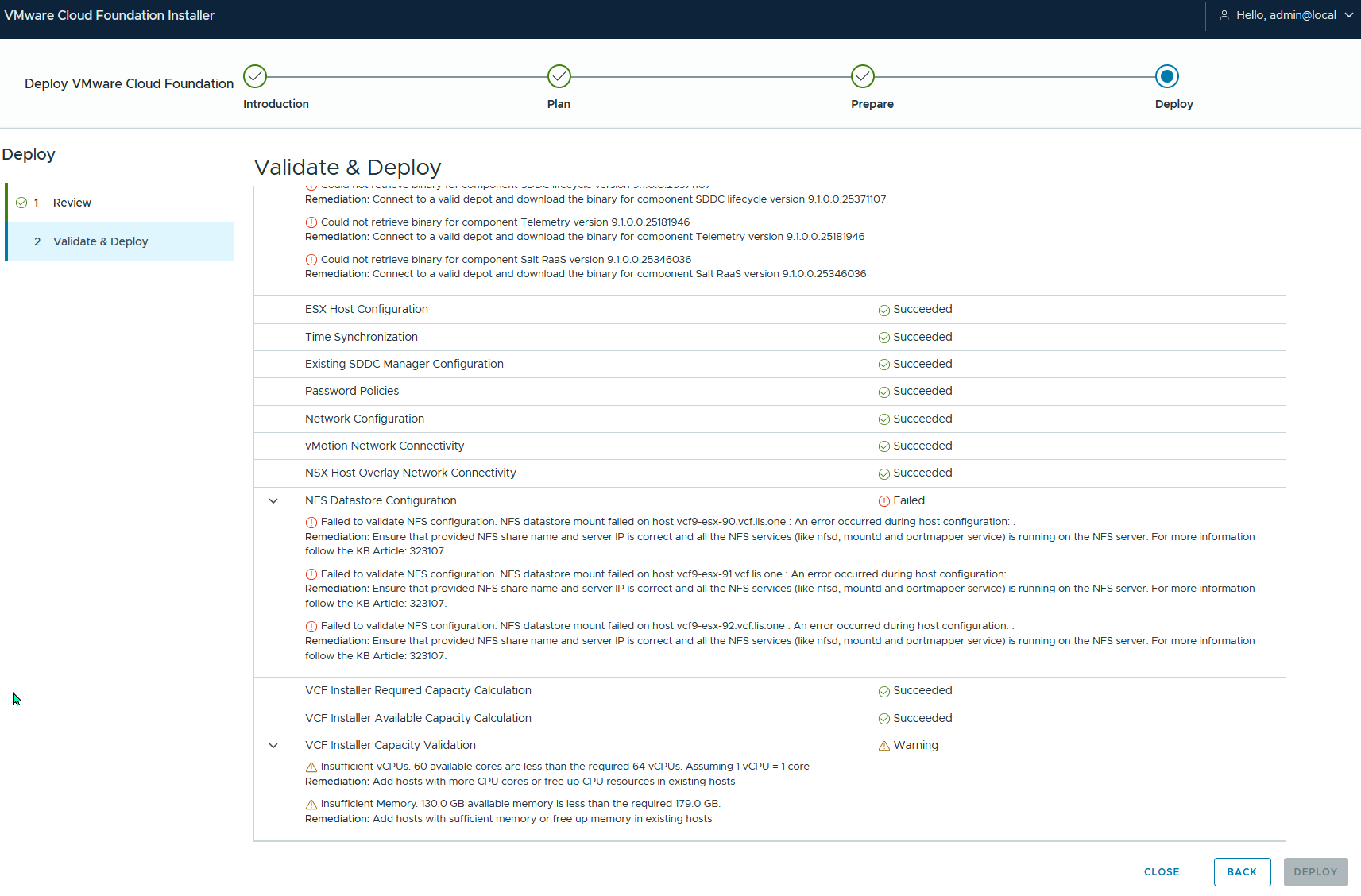
Completely failing: